
Bitte beachte: Outbound-Telefonie ist nur verfügbar wenn du in einem Outbound-Projekt aktiv bist!
Click on the matching issue below to jump directly to the relevant answer:
My phone is shown as not logged in
I hear the message “The number you have dialed is not assigned”
No list is available for selection
I want to start the next call, but no numbers can be found
I cannot call a specific number more than once
The indicator next to the Webphone is yellow
The yoummday plugin cannot find an assignment
The error message “Recall too soon” appears when creating a callback
Would you like to learn how outbound calling works in general? Take a look here: How does outbound calling work on the yoummday platform?
My phone is shown as not logged in
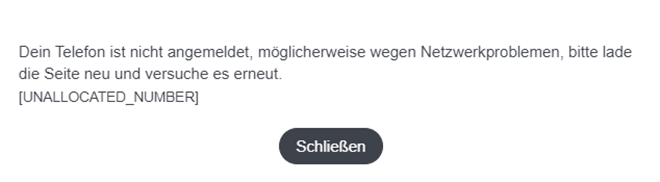
Check whether the Webphone shows a small green indicator in the top right corner. If the indicator is yellow, the Webphone is not connected.
In this case, make sure that your internet connection is stable and fast enough to support internet telephony.
I hear the message “The number you have dialed is not assigned”
The phone number may be invalid, unavailable, or entered incorrectly. It is also possible that the area code or country code is missing.
Check whether there is an obvious error and correct the number if necessary. In Germany, for example, it is important to use 49 as the country code. This replaces the leading 0 of the local number.
For example:
- Local number: 030-123456789
- Correct outbound format: 4930-123456789
If the issue persists, restart your computer and try calling the number again in case it is a temporary system issue.
Clearing your browser cache and deleting cookies may also help.
No list is available for selection
You either do not have an outbound assignment, or your project has not yet assigned a list to you.
Please contact your project contact person, preferably your team leader.
I want to start the next call, but no numbers can be found
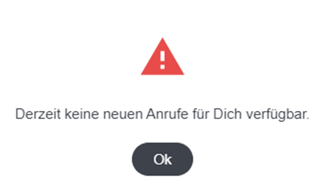
In most cases, no list has been selected.
Click on the plugin and verify that a list is selected.
If a list is selected and no numbers can still be found, all available contacts in that list have most likely already been processed.
In that case, ask your project team to provide additional leads or assign a new list.
I cannot call a specific number more than once
Projects can define how often a phone number may be called.
Please contact your project manager or team leader and ask them to check the settings for your list.
The indicator next to the Webphone is yellow

Is the Talent Platform open in two or more browser windows or tabs at the same time?
If so, close all other windows or browsers and keep only the one you are currently using.
If the Talent Platform is only open once, check your internet connection speed.
You can find our Speed Test under More in the navigation menu.
The yoummday plugin cannot find an assignment
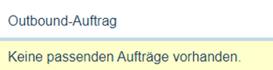
When you right-click the yoummday plugin, do you see the message “No matching assignments available”?
In most cases, the outbound assignment has been paused.
Please check your assignments and reactivate the outbound assignment if necessary.
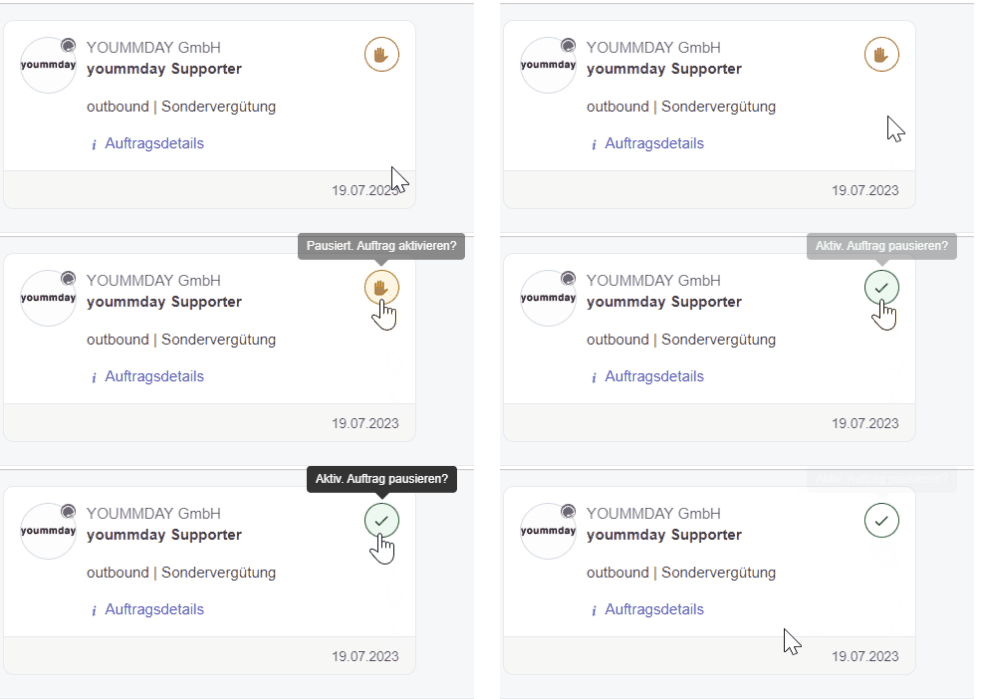
If the assignment is not paused, it is possible that you currently do not have an outbound assignment.
Please contact your team leader for clarification.
An outbound project is active, but no project is found and no lists are assigned in the workplace view
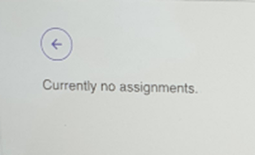
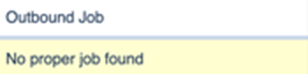
Are you working in a managed project or a self-service project?
Your outbound project may no longer have sufficient credit available with yoummday.
You can identify self-service projects by the fact that they do not display a small yoummday logo in the top right corner of the project details next to the company logo.
Self-service projects are not managed by yoummday and must maintain sufficient account credit to pay talents and enable outbound calls through the platform.
Please contact your project manager or team leader. They can then coordinate with the appropriate contact person at yoummday.
The error message “Recall too soon” appears when creating a callback
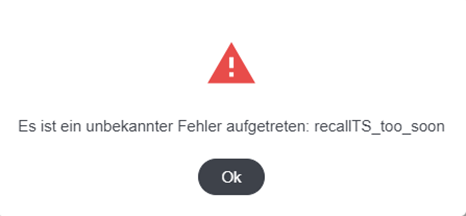
The selected callback time is too soon.
A callback can only be scheduled for a date and time that is at least one hour in the future.
Please try again and select a later date or time.