
You no longer have access to your authenticator, your smartphone is defective or you may have even lost it? No problem! There are a few easy steps restore access to your yoummday account.
Where can I find all options to reset my authenticator?
Option two: Reset via recovery authentication code
Option three: Reset via Talent Support team
You still have access but the code doesn't work? Check the settings of your device and make sure that the time automatically updates! Restarting the device and clearing your cache on your PC browser can also help.
Where can I find all options to reset my authenticator?
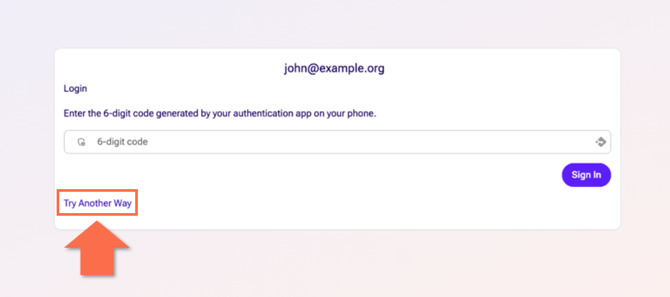
After you have logged in on https://talent.yoummday.com and are being asked for your verification code, click on "Try Another Way":
And here you will see all available options to reset your authenticator: 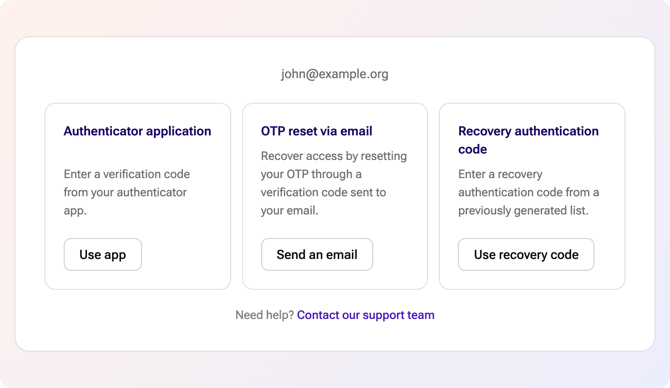
Option one: Reset via email
For this option, use the "OTP reset via email".
-
Click "Send an email" to receive a one-time password (OTP) to the email address associated with your account.
-
Open your email inbox and locate the email containing your OTP - it is a six-digit code:
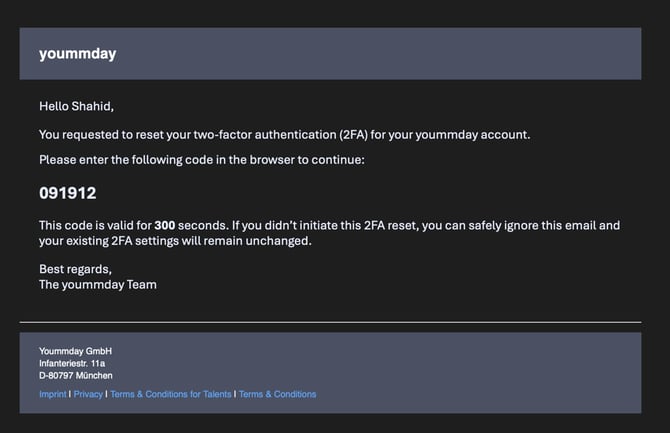
If you do not receive the email immediately, check your spam or junk folder. You can also use the "Resend code" option on the verification screen.
-
Return to the login screen and enter the six-digit code into the field labeled "Please enter the 6 digit code that was delivered to your email."
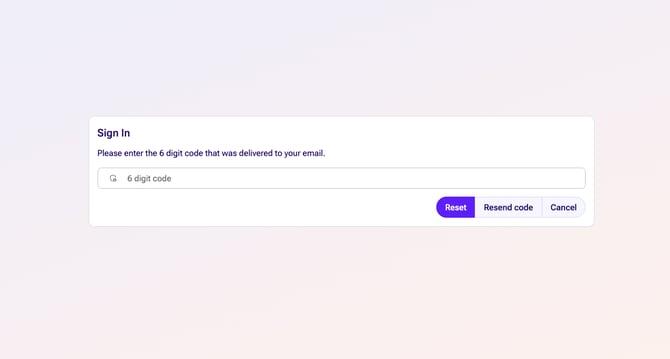
- Click on the Button "Reset".
Option two: Reset via recovery authentication code
While initally setting up your second login factor, you were shown multiple twelve-digit-long recovery codes - here is an example :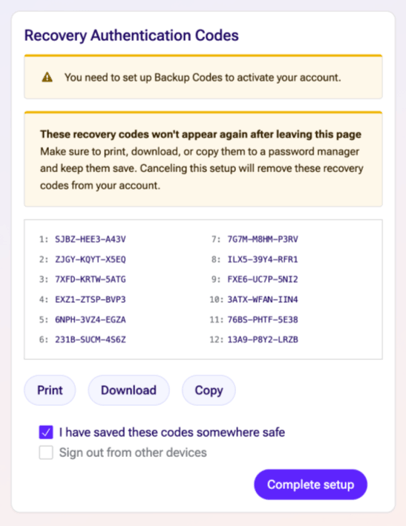
Click on the reset option of "Use recovery code" and enter one of these alphanumerical codes.
However, be careful: These exact codes can only be used once!
If you set up your 2FA before June 2026, your old recovery codes can not be used here.
Option three: Reset via Talent Support team
If nothing else works, you can contact our Talent Support team:
-
Click on "Contact our support team" at the bottom.
-
You will now be redirected to a contact form:
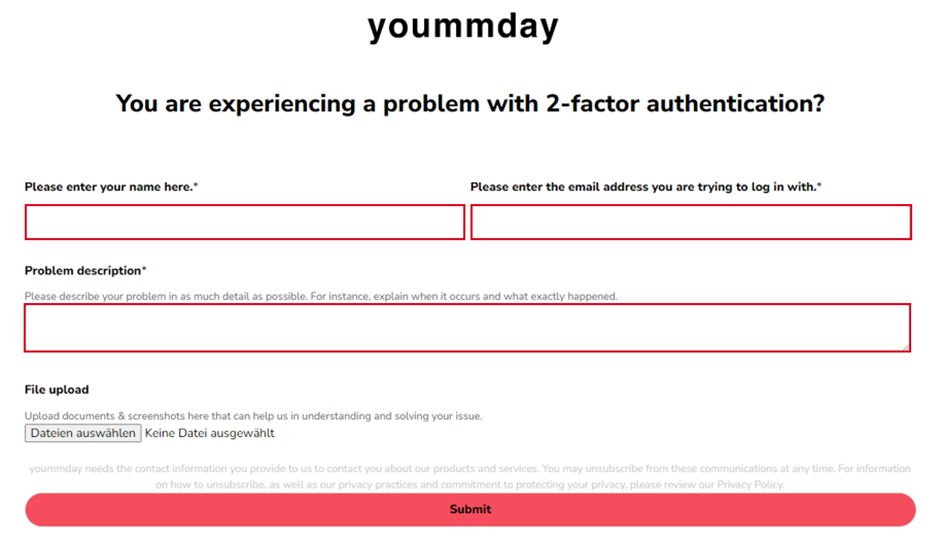
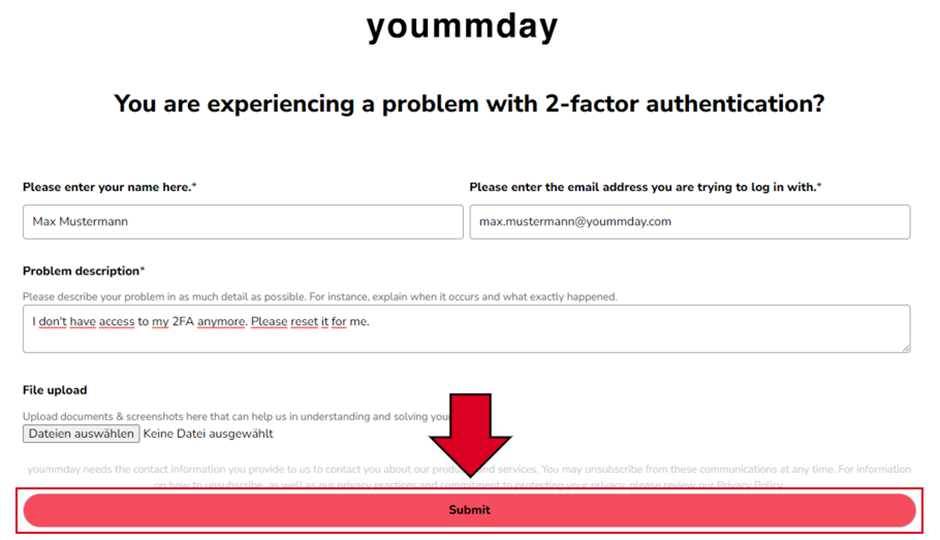
Here you enter your name, your email address with which you created your Talent account and a description of the problem.
-
To confirm, click on "Submit":
-
Our talent support team will contact you as soon as possible to discuss the next steps for manually resetting the second login factor for you.
This option should only be used, if the other two options do not work!
In that case, please include a clear description with the exact issue when trying to reset using those methods.
This way you can help us fix the issue for other Talents before they encounter it as well.