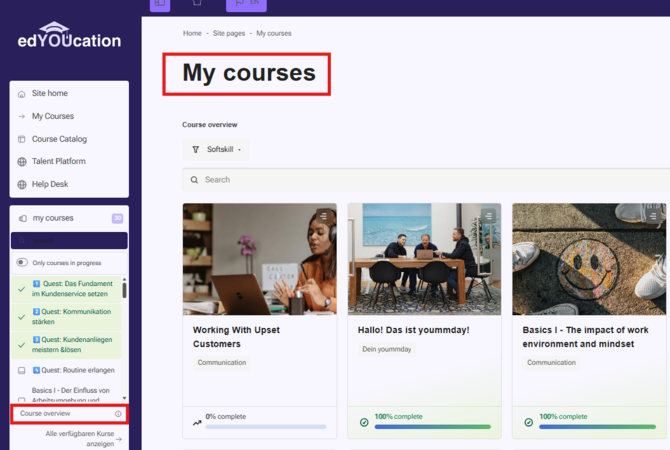
We have a small video guide for you. Below the video, you will find everything again in text form.
Homepage
On edYOUcation, you will find two menu bars and two important sections:
The Sidebar: the menu panel on the side of the screen
The Topbar - the menu bar at the top of the page.
My Courses- here you can see all the courses in which you are enrolled.
The Course Catalog - here you can enroll in new courses.
Sidebar
The sidebar stands out the most.
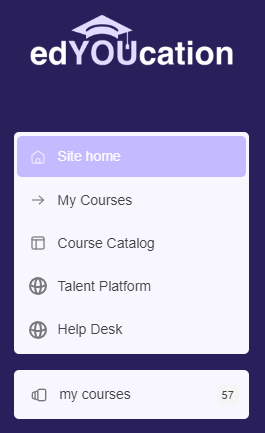
Through "My Courses," you can find all the courses you are enrolled in.
Through the "Course Catalog," you can browse courses you want to learn.
You have a direct link to the "Talent Platform" or the "Help Desk."
Both were previously found in a dropdown menu.
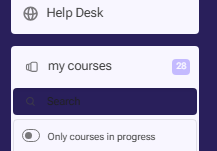
Through the separate "My Courses" section, you can also find all the courses you are enrolled in. Here, you have a dropdown menu instead of a separate page.
Topbar

1 - In the top bar (the upper menu bar), you can toggle the sidebar on and off.
2 - You have a home button that always takes you back to the homepage.
3 - Additionally, you have the option to set your desired language directly in the top bar (still either German or English). Note: The translation only refers to the core elements of the website, such as the framework (menu items etc.).
4 - You also have a "Dark Mode" feature. You can toggle it on and off as you wish.
If you scroll down on the homepage, you will find course recommendations that navigate you directly to the course. Consider these as suggestions if you ever lack inspiration.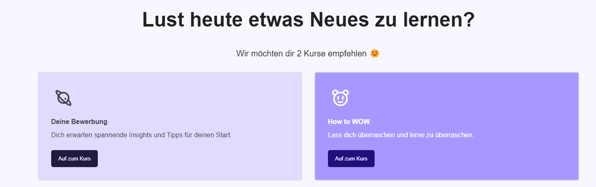
My Courses
In your "My Courses" overview, there is a subtle adjustment. We have optimized the filter functions for you. Especially if you are taking many of our soft skill courses (category German or English), this overview can get quite full, making it challenging to find your project training course. 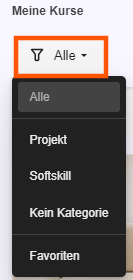
You have the option to display "All Courses" as usual, only your "Soft Skill" courses, or only your "Project" courses. (The "No Category" option is equivalent to "All").
How do I enroll in courses?
There are generally two types of courses:
- Project Courses:
You are always enrolled in these automatically by your trainer or Talent Coordinator within the respective project. You do not need to do anything else. - Courses from the Course Catalog:
You can enroll in these yourself directly through the edYOUcation learning platform.
After enrollment, both types of courses can be found under "My Courses".
All courses in the Course Catalog are available to you at any time, and you can enroll in any of them on your own. Project courses, on the other hand, are only available through participation in the respective projects.
To enroll in an available course, open the Course Catalog. Under either German or English, select the topic area that interests you (for example: German → Communication).
Additional categories may be added over time depending on demand and the courses offered. You will always see only the currently available selection.
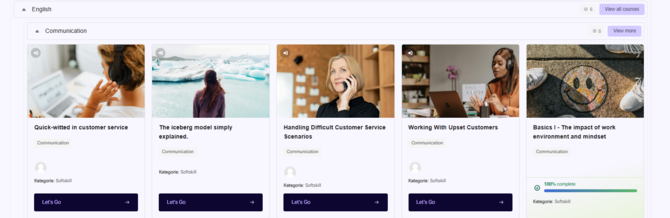
Click the "Let's Go" button on the course card of the course you would like to attend.
A window will then appear that allows you to enroll in the course. Once you complete the enrollment process, the course will be added to "My Courses", where you can access it at any time.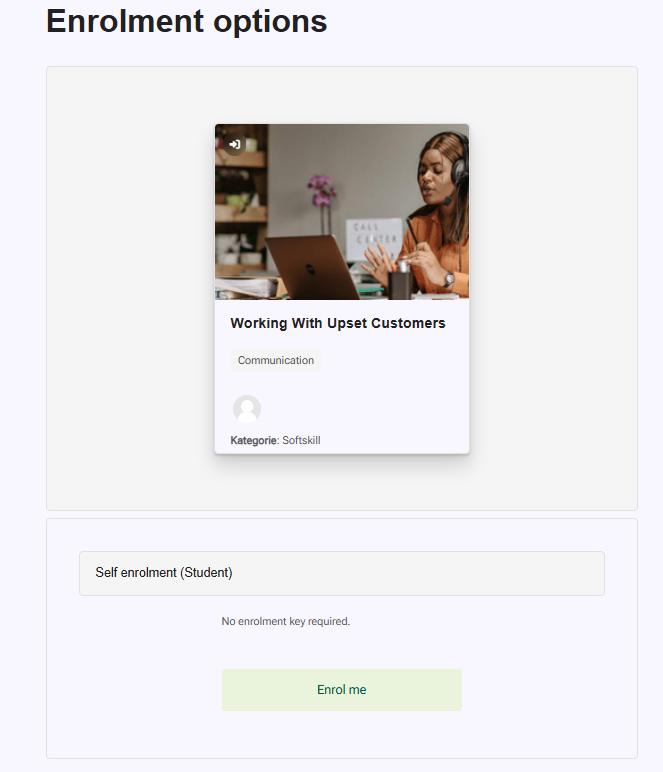
Scroll to the bottom and click the “Enroll” button. Once you do, you're all set and ready to get started!
The course will now appear under “My Courses”, where you can access and begin it at any time.